Hey everyone, welcome back! I’m your girl here — and today I’m giving you the exact workflow I use to turn random shaky mobile clips into scroll-stopping cinematic Reels that blow up faster than you can say algorithm.
If you’ve been doom-scrolling Instagram Reels lately, you’ve seen those buttery-smooth shots, deep shadows, glowing highlights & perfect beat-sync moments. Looks expensive, right?
But no — it’s not magic, it’s definitely not a $2000 editing setup, and it’s not some hidden studio secret.
It’s just CapCut — the free app that’s basically a cheat code for 2025 creators.
Last week, I shot some basic sunset clips on my iPhone and turned them into a 15-second cinematic masterpiece that crossed 1,000 views in 24 hours. Today, I’m breaking down the exact method so you can do the same (or better).
Total editing time? Under 20 minutes.
Gear needed? Only your phone.
Why Cinematic Editing in CapCut Rules 2025 (And Why You Should Care)
Reels are no longer just quick clips — they’re mini-movies.
Creators and brands now drop:
- deep mood lighting
- smooth transitions
- dramatic slow-mo
- cinematic LUT color grading
- storytelling-based visuals
And guess what? The algorithm LOVES them.
CapCut in 2025 has become the easiest mobile editor for:
✔ AI-powered enhancements
✔ 4K smoother rendering
✔ film-style LUTs
✔ cinematic templates
✔ watermark-free exports
Creators—including me—have ditched big tools like Premiere Pro for quick CapCut workflows that deliver killer results.
👉 If you want more content editing hacks, check my guide:
Best Free AI Voice Generators 2025
My Go-To Mobile Toolkit (All Free in 2025)
Apps & Tools I Use
- CapCut App – full editing powerhouse
- CapCut Audio Library – royalty-free beats
- Epidemic Sound Free Trial – cinematic music
- Free LUT Packs – search “cinematic LUTs CapCut”
- iPhone/Android Camera Roll – your raw clips
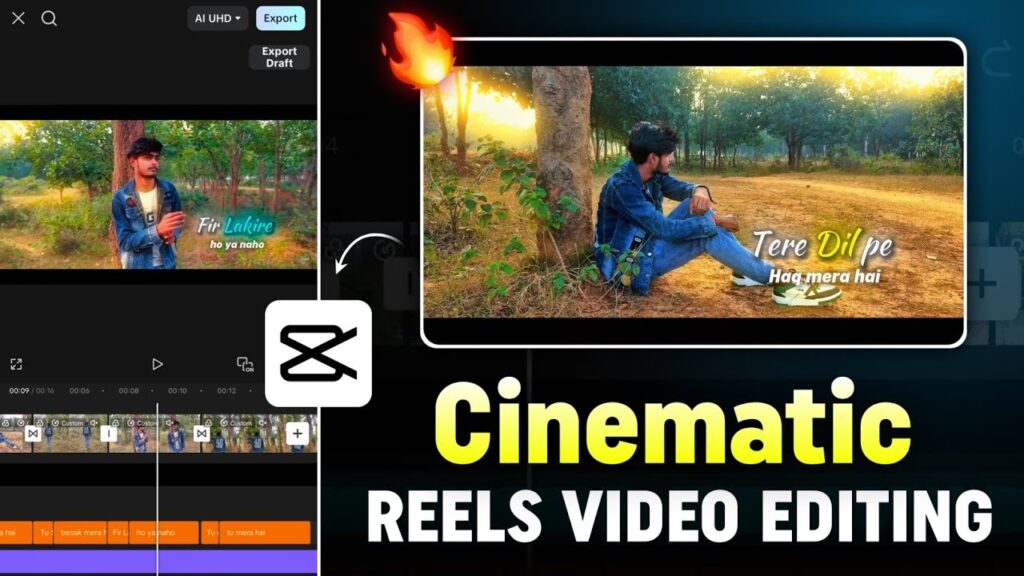
Step-by-Step: How I Edit Cinematic Reels in CapCut (Full Workflow)
Maine ek simple dusk walk ka clip shoot kiya. Aap chahe toh random B-roll bhi use kar sakte ho.
Step 1: Import & Prepare Your Footage (2 Minutes)
Sabse pehle, dump mat karo — curate like a mini director.
Do this first
- CapCut open → New Project
- Aspect ratio set to 9:16
- Add 3–5 of your best clips
- Trim extra useless footage
- Use Reverse (Clip → Basic → Reverse) for dreamy effects
Pro Tip
Agar footage dull hai, CapCut ke stock library me cinematic overlays search karo — free mil jayega.
Step 2: Add Music & Sync Clips to the Beat (3 Minutes)
Music is the heartbeat of any cinematic Reel.
Beat Sync Method
- Audio → Sounds → “Cinematic Hip-Hop”
- Add music to the timeline
- Tap the waveform → Add Beats
- Align each clip to the beats
- Use Speed Curve for dramatic movement
- 1x → 0.5x → 1.5x ramp settings
- Add audio fade-in/out for smoother flow
Ye step aapke Reel ko pro level feel deta hai—even before effects.
Step 3: Add Cinematic Effects, Transitions & Color Grading (5 Minutes)
This is where the magic begins.
Transitions
- Use Dissolve & Zoom for smooth flow
- Glitch for edgy Reels
Cinematic Effects
- Effects → Search “Cinematic”
- Add Film Grain, Lens Flare, or VHS Blur
- Keep intensity around 40–50%
Moody Color Grading
Adjust:
- Exposure: –0.2
- Contrast: +20
- Saturation: –10
- Highlights: –15
- Shadows: +10
Use Cinematic LUT pack for teal-orange film look.
Masks & Slow Motion
- Use Mask (Circle or Linear) to highlight the subject
- Speed Curve: 0.25x for hero shots
Keyframes
- Subtle zoom in/out
- Pan movement
- Animated transitions
This step gives your Reel a big budget movie vibe.
Step 4: Add Text, Captions & Finishing Touches (4 Minutes)
Cinematic Text Styling
- Text → Add
- Font: Cinematic / Modern Serif
- Animate: Fade-in on beat
- Keep text minimal (2–4 words max)
Auto Captions
CapCut AI = 90% accurate.
Style tips:
- Bold white
- Black outline
- Lower ⅓ placement
Final Polish
- Reduce BGM slightly
- Balance audio mix
- Play at 0.5x to spot mistakes
Step 5: Export & Upload Like a Pro (1 Minute)
Best Export Settings
- 1080p
- 60fps
- Bitrate: High (recommended)
- No watermark (CapCut free tier)
Upload to IG Reels/TikTok with hashtags like:
- #CinematicReels
- #CapCutTutorial
- #MobileEditing
Free Cinematic CapCut Pack (Download Button)
👇 Your Free Cinematic LUT + Transition Pack Download
(Click to instantly download from Google Drive)
Conclusion: Your Phone Is a Film Studio — Use It Like One
Cinematic Reels are not about fancy cameras or big editing screens.
They are about:
- good lighting
- strong color grading
- tight beat sync
- and a clean storytelling flow
CapCut in 2025 gives you all of that — for free.
Aap agar is workflow ko follow karenge, toh aapke Reels next-level cinematic lagne lagenge, chahe aap beginner hi kyu na ho. So start shooting, start editing… and watch your content level up — along with your audience, engagement, and brand deals.
🎬 Keep creating. Keep growing. You’ve got this.