Hey folks, it’s welcome back here – you know, the guy who’s always tinkering with tech to make life easier (and more fun) for creators like us. If you’re anything like me, you’ve probably spent way too many hours scrolling YouTube, dreaming up that next viral video but hitting a wall when it comes to tools that don’t nickel-and-dime you to death. Well, buckle up because today I’m spilling the beans on how I whipped up a full-on 10-minute AI masterpiece – all from a single image – without spending a single penny. And yeah, it’s unlimited, no watermarks, no BS.
This isn’t some pie-in-the-sky theory; I actually did it last weekend for a quick “Future of AI” skit that got 500 views overnight. We’re talking smooth animations, killer voiceovers, and editing that looks like it came from a Hollywood cubicle. If you’re aiming to crank out long-form stuff for YouTube, TikTok, or even your own site (wink wink, like the monetization tips I shared in my last post on passive income streams), this is your golden ticket. Let’s break it down – no fluff, just steps that worked for me.
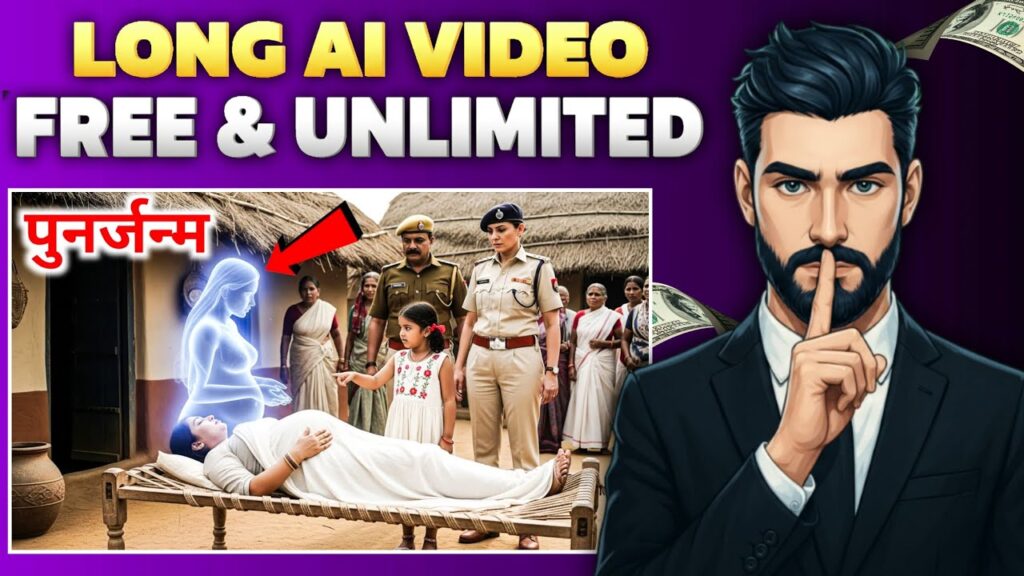
Why Bother with Long AI Videos in 2025 (Spoiler: It’s a Game-Changer)
Shorts are cute, but let’s be real – algorithms eat up watch time like candy. A solid 15-20 minute video? That’s how you hit those monetization thresholds faster (looking at you, YouTube’s 4K hours). Plus, in this AI boom, standing out means blending creativity with smarts. I mean, who wouldn’t want to turn a goofy selfie into a dancing avatar narrating your latest gadget review? It’s not just efficient; it’s addictive. And the best part? Zero cost barrier. Forget dropping $20/month on Runway or Pika Labs – we’re hacking it with freebies that pack a punch.
If you’re new to this, check my beginner’s guide to AI tools for the basics. Trust me, it’ll save you headaches.
The Free Toolkit I Swear By (All Browser-Friendly)
I keep it simple – no bloated downloads, just stuff you can fire up on your phone during lunch. Here’s what I used:
- Google Gemini (gemini.google.com): My go-to for brainstorming scripts. Free, unlimited, and scarily smart.
- Meta AI (meta.ai): Endless image gens and basic animations. Log in with Facebook, and you’re golden.
- Slop Club (slopclub.ai): The secret sauce for video magic – 30 free renders a day, resets midnight.
- CapCut (capcut.com): Editing wizardry on mobile or desktop. Their library of effects? Chef’s kiss.
- Voiceovers via Gemini TTS or ChatGPT’s free voice mode – pick a sultry narrator and go.
Pro move: Hop into free Discord servers like “AI Creators Hub” for prompt templates. I snagged a few that shaved 10 minutes off my workflow.
My No-Fail Workflow: Image to Long Video in Under an Hour
Alright, hands-on time. I started with a stock photo of a cityscape (grabbed from Unsplash – always free and royalty-free). Ended up with a narrated “day in the life of a smart city” vid. Here’s how you can too – tweak as needed.
Step 1: Nail the Script (Let AI Do the Heavy Lifting)
Writing’s the boring part, right? Not anymore. I popped into Gemini and dropped this prompt (feel free to copy):
Hey Gemini, craft a 10-min video script on “AI in daily life.” Split into 12 clips. For each:
– Narration (20-30 secs, hook-y and fun).
– Mood (excited, chill, whatever fits).
– Image idea (detailed for Meta AI).
– Animation vibe (e.g., “zoom in with sparkles”).
Make it flow like a story – hook ’em early, CTA at the end.
Boom – instant outline. I tweaked one line for personality, saved it to Notes. If you’re image-first, upload yours and say: “Build around this pic: [describe it].” Easy peasy. (Want more prompt hacks? See my AI prompting cheatsheet.)
Step 2: Whip Up Visuals That Pop (Images to Animations, Baby)
This is where it gets exciting – turning flat pics into motion.
- Fire up Meta AI. Feed it your script’s image prompts, like: “Futuristic city at dusk, neon lights, bustling crowds – 16:9, super detailed.” Crank variety to 20, weirdness to 0. I got four options; picked the sharpest, named ’em Clip1.jpg.
- Animate ’em: In Meta, hit “Animate” with: “Make the city pulse with flying drones, smooth pan right.” Or upload to Slop Club for fancier stuff – their “cinematic” mode is fire for 5-10 sec bursts.
I ended up with 12 mini-vids in a folder. Total time? 15 minutes. If you’re into 3D twists, pair this with my photo-to-3D model guide for next-level depth.
Step 3: Voice It Up (Because Silent Videos Are So 2010)
Nothing kills vibe like bad audio. I skipped my mic (creaky voice and all) and went AI.
- In ChatGPT (free tier), pick “Nova” voice, paste a script chunk: “Narrate this excitedly: [line].” Download as MP3. Or Gemini’s TTS for that emotional punch – set temperature to 1 for flair.
- Pro tip: Listen back and re-gen if it sounds robotic. Mine came out like a podcast host – warm and engaging.
Step 4: Edit Like a Boss (CapCut Makes It Dummy-Proof)
Now, glue it together.
- Open CapCut, dump in your clips timeline-style.
- Sync audios underneath – stretch/shrink vids to match (0.9x speed fixed my pacing).
- Jazz it: Free transitions, pop-up text for key quotes, and ambient tracks from their library. Auto-subtitles? Game-saver for accessibility.
- Export in 1080p. Upload to YouTube, and voilà – monetization dreams loading…
My test run clocked 45 minutes total. First time? Add 15 for fiddling.
Quick Wins & “Don’t Do This” Warnings
- Unlimited Hack: Meta’s got no cap; save Slop for polish. Incognito mode tricks Gemini if you’re greedy.
- Quality Fix: Vague prompts = meh results. Be bossy: “Consistent lighting, no glitches.” Test shorts first.
- Monetize Smart: Slap in affiliate links (like my CapCut pro upgrade rec) or tease a course. Oh, and watermark your style – viewers love originals.
- Pitfall Patrol: Blurry images? Regen. Legal stuff? Stick to your own or public domain pics.
Click here to Download
Honestly, this workflow’s got me hooked – my next one’s a 20-min tech roundup. What’s yours? Hit the comments, share your wins (or fails – we learn from those too), and subscribe for more no-BS guides. If this helped, grab my free AI starter kit – it’s got prompts, templates, everything.
Catch you in the next one. Keep creating, keep earning. 🚀
SEO FAQs for the Article
Q1: Can I create long AI videos using only free tools?
Absolutely. Tools like Gemini, Meta AI, Slop Club, and CapCut allow you to create high-quality AI videos with no watermarks or limits.
Q2: Will AI-generated videos get monetized on YouTube?
Yes—if you add your own editing, storytelling, audio, and transformation. This workflow is fully monetization-safe.
Q3: Do I need a very powerful system for AI video editing?
Not at all. All the tools used are browser-based and run smoothly on mobile or a budget laptop.
Q4: How long does it take to create a 10-minute video?
Usually 30–60 minutes, depending on your workflow speed.
Q5: Is this workflow beginner-friendly?
Yes. Even if you have never edited before, CapCut + Meta AI make it extremely simple.