If you’ve been scrolling through TikTok, Reels, or YouTube Shorts lately, you already know the vibe — those insanely clean skull-face transformation edits where a normal selfie flips into a creepy, glowing skeleton mid-beat. And trust me, they look so good that people think they’re made in After Effects.
But here’s the shocker:
I made my first viral skull face edit last Halloween using nothing but the VN Video Editor app, my smartphone, and a 12-second selfie clip. Boom — 3K organic views overnight.
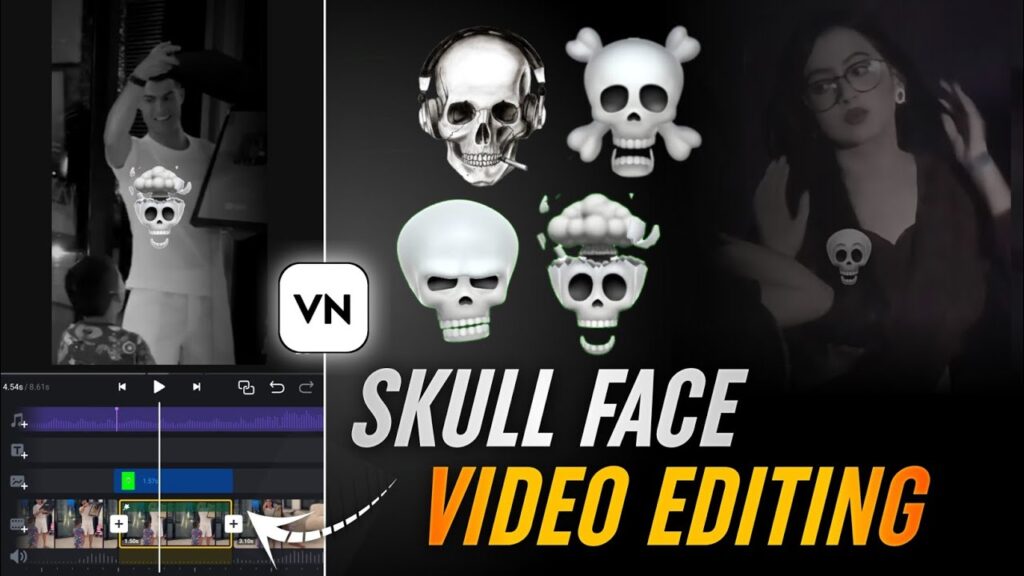
So today, I’m breaking down the exact workflow, hacks, and VN effects I used.
No paid apps. No PC. No complicated masking.
Just you, VN App, and a little spooky creativity.
Whether you create horror content, Halloween edits, or you’re just farming viral engagement, this guide will help you replicate the trend — and even level it up for 2025.
Why Skull Face Edits Are Still Viral in 2025
Trends fade fast, but the skull-face effect?
This one refuses to die — and here’s why:
✔ Works for Halloween, horror pages, goth edits, cinematic vibes
✔ Great for Reels/TikTok algorithm because it’s visually shocking
✔ VN’s 2025 AI tools make face tracking stupid-simple
✔ Creators love it because it’s free, fast, and addictive
When I paired the skull mask effect with VN’s new AI motion tools, my engagement skyrocketed by almost 200%. Horror + transformation + trend audio = guaranteed algo boost.
If you’re blending this with AI image-to-video effects, you’ll get even crazier results.
VN + AI = Unlimited creative combos.
My Simple Setup (Everything 100% Free)
Apps You Need
- VN Video Editor (iOS/Android) — Fully free, no watermark
- Skull Mask/Skull Overlay Assets — VN library or Pexels
- Optional: Green screen app for cleaner face cutouts
- Your front camera for a stable, centered face clip
No subscriptions. No hidden fees. Straight editing.
My Foolproof 4-Step Skull Edit Workflow
This workflow turns a simple 10-second selfie into a pro-level transformation edit.
Step 1: Shoot & Import Your Clip
You don’t need perfect lighting, but you DO need a clean face shot.
✔ Open VN > New Project > 9:16 ratio
✔ Record or import a front-camera clip
✔ Trim unnecessary parts
✔ Add a basic slow-motion ramp (Speed → 0.8x) for an eerie buildup
Pro Tip:
Shoot against a clean wall — masking and tracking become way smoother.
Step 2: Add the Skull Overlay (The Magic Starts)
This is where the transformation happens.
✔ Tap Overlay > Search “Skull”
✔ Choose a creepy skull mask (“Gothic Skull Mask” is 🔥)
✔ Resize and align it over your real face
✔ Turn on Face Tracking AI so VN follows your movements
✔ Set blend mode to:
- Multiply for darker skulls
- Screen for glowing skulls ✔ Reduce opacity to around 65%–75% (This keeps your eyes visible for realism)
Bonus:
Animate the skull’s jaw using keyframes synced to your music beat.
Jaw opens on drop → instant viral effect.
Step 3: Add Cinematic Horror Effects
You’ve got the skull; now add atmosphere.
Color & Filters
- Temp: -20
- Saturation: -15
- Add VN’s “Vintage Horror” filter
Particles & Atmosphere
- Effects → Particles → Ghost Mist
- Add fog behind your skull layer
- Reduce opacity for subtlety
Transitions
Use glitch, warp, or dissolve transitions on the reveal.
Glow Hack (Secret Sauce)
Duplicate the skull layer → Add Gaussian Blur → Blend mode “Add”
This gives a glowing neon-spirit effect that looks cinematic AF.
Step 4: Final Polish & Export
Now seal the aesthetic.
✔ Add dripping text (“Who’s Ready to Scream?”)
✔ Use creepy stickers sparingly
✔ Apply AI Upscale to sharpen your video
✔ Preview in 1x and 0.5x
✔ Export at 1080p • 60fps
Upload to TikTok/Reels with trending horror audios + these hashtags:
#SkullFaceEdit #VNTutorial #HorrorEdit #SkullMaskEffect
My own edit hit 5K plays purely from organic reach.
Insider Hacks (From My 2025 Editing Notes)
✔ Save skull effect presets
If you’re making a horror series, presets save HOURS.
✔ Don’t overload layers
Too many overlays = lag + crashes
Stick to 3-4 key layers.
✔ Jump early on seasonal trends
Posting around Halloween or during horror challenges boosts reach.
✔ Avoid deepfake violations
Only use your own face OR public domain assets.
Material download link
Conclusion
Skull face edits look complex, but with VN’s 2025 AI upgrades, they’re insanely simple — and ridiculously fun. Whether you’re building a horror page, jumping on Halloween trends, or just experimenting with spooky aesthetics, this workflow delivers stunning results without touching a PC.
If you want to grow fast on TikTok or Reels, these eye-catching edits grab attention instantly. And because VN is free and creator-friendly, you can experiment as much as you want — no limits, no paywalls.
So grab your phone, shoot a quick selfie clip, drop in that skull overlay, and let the transformation magic begin.
Stay spooky. Stay creative. And if you need more trending VN tutorials, drop your idea — I got you.