tCreate an Ultra-Realistic Divine Cinematic AI Video Using Image-to-Video Workflow

Uncategorized

Create an Ultra-Realistic Divine Cinematic AI Video Using Image-to-Video Workflow

AI image and video generation has reached a level where cinematic, hyper-realistic scenes can be created with extreme precision. In this workflow, we design a powerful divine scene inside a single Mahindra Thar SUV and then convert that image into a smooth cinematic video using advanced image-to-video animation.
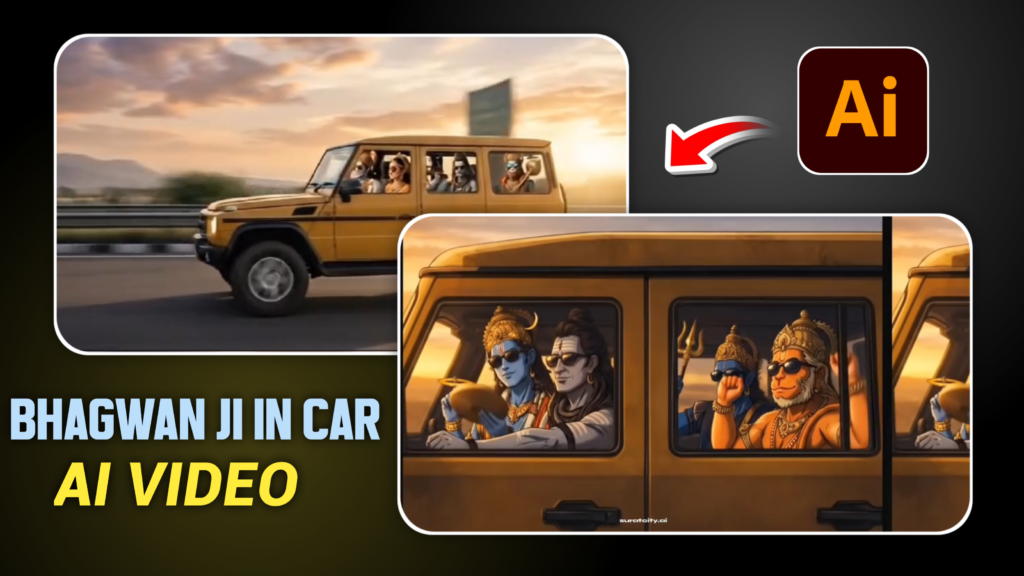
Step 1: Generate the Cinematic AI Image

Start by creating one ultra-realistic interior scene inside a black Mahindra Thar. The camera must be placed on the front dashboard, facing the passengers, capturing a single continuous view. Lord Shiva is positioned in the driver seat, calm and composed, with divine yet realistic details like ash-gray skin, matted hair, and rudraksha mala.

IMAGE PROMPT

Create a single ultra-realistic cinematic interior scene inside one black Mahindra Thar SUV.The camera is placed on the front dashboard, facing the passengers, showing only one clear view, no collage, no multiple angles, no extra scenes.Driver seat: Lord Shankar (Mahadev) driving the Thar calmly, both hands on steering wheel, ash-gray skin, crescent moon on head, matted hair, rudraksha mala, realistic divine appearance.Front passenger seat (IMPORTANT):Place the uploaded human photo beside Lord Shankar.Face must be 100% matched to the uploaded imagePhotorealistic human face (NOT cartoon, NOT AI-styled)Same skin tone, facial structure, beard/hair exactly as uploadNatural sitting posture, realistic lighting matching car interiorBack middle seat: Lord Hanuman Ji, muscular body, holding golden gada, realistic fur and facial details, divine yet realistic.Back right seat: Lord Vishnu Ji, blue skin tone, golden crown, pitambar, peaceful expression, photorealistic.Strict composition rules:ONLY ONE Thar vehicleONLY ONE sceneNO split screenNO collageNO multiple Thar anglesNO repeated framesLighting & Style:Golden sunset light coming from windshieldCinematic depth of fieldHyper-realistic, DSLR quality, 8K detailsNatural shadows and reflectionsNegative Prompt:Multiple cars, multiple frames, collage, split image, cartoon, anime, illustration, duplicate faces, distorted face, extra Thar, extra scenes.Aspect ratio 9:16, ultra-realistic, cinematic.

The front passenger seat is the most critical—this is where the uploaded human photo is placed. The face must match the uploaded image 100%, maintaining exact skin tone, facial structure, hair, and beard without any AI stylization. In the back seats, Lord Hanuman and Lord Vishnu are added with photorealistic details, maintaining divine realism rather than illustration or cartoon effects.

Golden sunset lighting, natural shadows, cinematic depth of field, and strict composition rules ensure the image looks like a high-end DSLR movie still.

Step 2: Convert Image into Cinematic Video

Once the image is ready, use an image-to-video tool like Flow AI to animate the scene. The key focus is face consistency—facial expressions must remain completely neutral with no blinking, smiling, or talking.

1 VIDEO PROMPT

Create a hyper-realistic cinematic video using the uploaded reference image only.CRITICAL FACE CONSISTENCY:Faces must remain 100% identical to the reference imageNo change in facial expressionNeutral, calm face throughoutNo smile, no lip, eye, or eyebrow movementENJOYMENT THROUGH BODY LANGUAGE (IMPORTANT):Animate neck + upper torso + shoulders onlySubtle rhythmic head-nod (pitch rotation ±6–8 degrees)Add soft shoulder bounce synced to beatVery light upper-body sway forward–backMotion should feel like quietly enjoying rap / DJ remix music inside a carRelaxed, confident, chill vibeNo dancing, no exaggerationFaces stay still, but body rhythm clearly shows enjoyment.Characters & Seating (same as image):Driver: Lord ShivaFront passenger: uploaded humanBack middle: Hanuman JiBack right: Vishnu JiAll four subtly move in sync with the beat, as if music is playing in the car.Camera (STRICT):Front-facing dashboard cameraSlow, smooth push-in (zoom forward)Gradually approach windshield glassStop just before the glassOne continuous shot, no cutsLighting & Mood:Warm golden sunsetCinematic reflections on glassUltra-realistic, DSLR qualityNegative Prompt:Facial expression change, smiling, talking, blinking changes, dancing, face distortion, extra motion.Duration: 6–8 seconds

Movement is expressed only through subtle body language: gentle head nods, soft shoulder movement, and slight upper-body sway synced to an implied rap or DJ beat. The camera performs a slow, smooth push-in from the dashboard toward the windshield, creating a premium cinematic feel. The lighting remains warm and golden, with realistic reflections on the glass.

Final Result

The final output is a 6–8 second ultra-realistic vertical cinematic video that feels calm, powerful, and visually divine. This style works exceptionally well for Instagram Reels, YouTube Shorts, and AI cinematic showcases when realism, emotion, and discipline in motion are prioritized.

Leave a Reply

Your email address will not be published. Required fields are marked *