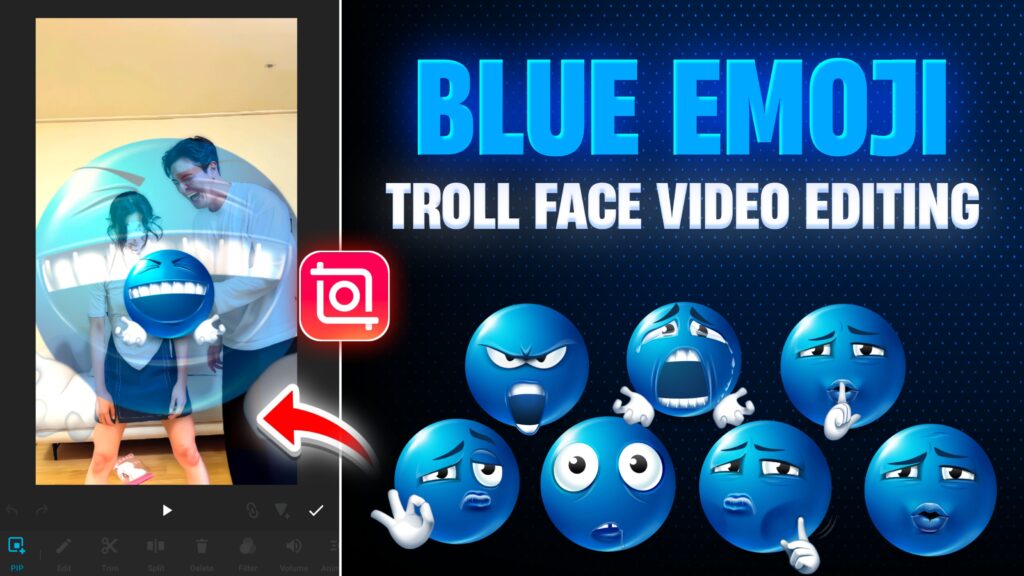
Blue Emoji Troll Face reels are currently trending on Instagram and short-video platforms. These videos are funny, sarcastic, and highly engaging, especially when paired with perfect timing, freeze frames, animations, and effects.
In this vlog-style tutorial, you’ll learn how to create a Blue Emoji Troll Face video in CapCut, starting from importing your video to adding animations, effects, beat syncing, and final color grading. This guide is beginner-friendly and works completely on mobile.
Step 1: Create a New Project in CapCut
- Open the CapCut app.
- Tap on New Project.
- Go to the Video section.
- Select your main video clip.
- Tap Done.
Now your video will appear on the timeline.
Step 2: Decide Where to Add the Troll Face
Watch your video carefully and decide where the troll moment should appear.
For example:
- A boy is asking something
- The girl reacts unexpectedly
- You want to troll that moment using a Blue Emoji Troll Face
When you reach that exact frame:
- Tap on the video clip
- Scroll down
- Select Freeze
This will freeze the frame perfectly where you want to add the troll face.
Tip: You can also keep a small moving part after the freeze if it matches the reaction better.
Step 3: Add Blue Emoji Troll Face (PIP / Overlay)
- Tap on Overlay / PIP
- Go to the Photos section
- Select a Blue Emoji Troll Face image
(You can use blue emoji, troll face, skull face, or any relatable meme face)
📌 All emoji image links can be placed in your blog description.
- Adjust the size and position of the troll face on the frozen frame.
Step 4: Add Animation to the Troll Face
To make the troll face more attractive:
- Tap on the troll face overlay
- Go to Animation
- Choose an animation like:
- Slide from Top to Bottom
- Simple Slide or Pop animation
Reduce the animation duration to make it fast and punchy.
Simple slide animations look more natural and funny than heavy animations.
Step 5: Create Custom Animation Using Keyframes
For better control, use keyframes:
- Place a keyframe at the start
- Move forward slightly and add another keyframe
- On the second keyframe:
- Zoom out
- Reduce size
- Adjust position
This creates a smooth appear-and-settle animation.
To smooth it further:
- Go to the Graph / Easing option
- Select a smooth curve
- Apply and tap Done
Step 6: Apply Effects to the Troll Face
To enhance comedy:
- Tap on Effects
- Go to AI Effects
- Choose effects like:
- Flash
- Strobe
- Light burst
Apply the same effect to:
- Troll face overlay
- Main video (for consistency)
Adjust effect duration so it doesn’t look overdone.
Step 7: Timing Adjustment (Disappear Effect Feel)
To give a disappear-type or surprise feel:
- Slightly move the troll face earlier
- Let the animation complete first
- Then let the video continue
This creates a perfect reaction + troll + disappear flow.
Step 8: Add Music and Beat Marking
- Go to Audio
- Tap on Music
- Search for:
- “Troll”
- “Troll Face”
- Select a suitable funny or beat-drop music
Beat Marking:
- Tap on Beats
- Play the music
- Add beat markers exactly where the troll face appears
- Sync the animation and effects with the beat
This step is very important for viral potential.
Blue emoji + Music Download Link
Step 9: Final Color Grading
To give a clean look:
- Go to Filters → Adjust
- Apply slight Blue Toning
- Adjust:
- Contrast
- Saturation
- Temperature (cool side)
Tap Apply to All so the color tone matches across the entire video.
Final Result
Now your Blue Emoji Troll Face Reel is ready 🎉
The video will have:
- Perfect freeze timing
- Smooth troll face animation
- Funny effects
- Beat-matched music
- Clean color grading
This same method can be used for:
- Skull face edits
- Meme reactions
- Sarcastic reels
- Comedy shorts
Conclusion
Blue Emoji Troll Face editing in CapCut is simple yet powerful when done with proper timing, animations, and beat sync. With freeze frames, keyframes, effects, and music alignment, you can easily create viral-style troll reels using just your mobile phone.
Practice with different emojis and reactions, and your engagement will improve dramatically.