How to Create Hyper-Realistic Movie Set Selfie Photos & Videos Using AI image and video generation has reached a level where creators can now produce cinematic, hyper-realistic self-portraits that look like they were captured on an actual movie set. With the right prompt structure, you can place yourself beside a famous actor, inside a real movie environment, without losing facial accuracy or realism.
In this article, you’ll learn how to use a detailed AI prompt to generate:
- A movie-set selfie photo that looks like a professional film still
- A short cinematic selfie-style video with behind-the-scenes realism
This guide focuses on face accuracy, realism, lighting, composition, and authenticity, making it perfect for creators, editors, and AI artists.
Why This Prompt Is Special
Most AI prompts fail because they either:
- Change facial structure
- Over-beautify the face
- Add AI artifacts
- Look like screenshots or phone UI captures
This prompt is designed to preserve your real identity one-to-one while placing you naturally inside a movie scene.
Key Strengths of the Prompt
- Exact facial structure preservation
- No stylization or beautification
- Professional film-set lighting
- Realistic movie environment
- Authentic actor appearance from a specific film
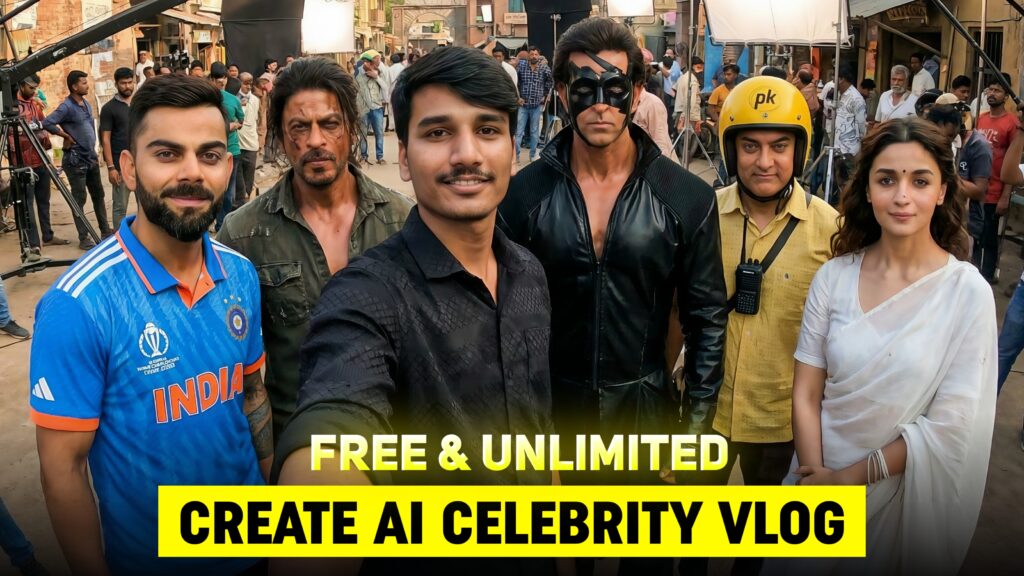
Step 1: Using Your Reference Selfie Correctly
The first and most important rule is face accuracy.
When you upload your reference selfie:
- The AI must match your face exactly
- Skin tone, proportions, and natural asymmetry must remain unchanged
- Only lighting and color should adapt to the scene
- No filters, no smoothing, no beauty effects
This ensures the output looks like you actually stood on the movie set, not an AI-generated face.
Step 2: Creating the Cinematic Movie Set Scene
The scene is designed to feel like a behind-the-scenes moment during an active film shoot.
Environment Details Included:
- Movie-accurate set (college, village, palace, police station, forest, etc.)
- Props and architecture matching the film’s world
- Visible film crew:
- Cinema camera on tripod or crane
- Boom microphone overhead
- Light stands and reflectors
- Director and crew members working
- Extras waiting in the background
This adds real-world depth and authenticity to the image.
Step 3: Actor Accuracy (Very Important)
The prompt strictly defines how the actor should appear.
The AI must follow:
- Exact age appearance from the movie
- Same hairstyle and grooming
- Correct facial hair or clean-shaven look
- Identical costume details:
- Fabric type
- Color
- Fit and layers
- Accessories and footwear
There should be:
- No modern styling
- No reinterpretation
- No “inspired by” look
This ensures the actor looks exactly like they did in the movie, not a variation.
Step 4: Professional Film-Set Lighting
Lighting is what separates average AI images from cinematic ones.
The prompt uses:
- Soft key light on faces
- Subtle rim light to separate subjects from the background
- Natural skin tones
- Balanced contrast
- No artificial glow
This lighting setup mimics real cinema production, making the image look like a film still.
Step 5: Composition & Camera Feel
The image is designed as a wide-angle selfie, but without showing a phone.
Composition Rules:
- Arm’s-length framing
- Your face near the center
- Actor slightly beside or behind you
- Subtle wide-angle edge distortion
- Soft background blur for cinematic depth
Important restriction:
❌ No phone
❌ No camera UI
❌ No reflections
❌ No borders or watermarks
The final result must look like a professional behind-the-scenes photograph, not a screenshot.
Step 6: Realism Rules (Strict)
To avoid AI-looking output, the prompt enforces realism:
- Visible skin pores and natural texture
- Realistic fabric folds and stitching
- Natural sweat, wear, and imperfections
- Correct body proportions
- No warped hands or faces
- Real-world physics only
This is crucial for high-quality, believable content.
Prompt for Cinematic Video (Selfie-Style Walk Shot)
Along with the photo, the prompt also supports video generation.
Video Concept Explained:
- The person takes a selfie and starts walking
- Camera remains locked on the face
- He reaches the next set and takes another selfie
- Crew members work in the background
- No dialogue, only natural movement
- Calm smile, natural expressions
This creates a smooth, cinematic behind-the-scenes moment, perfect for reels or short videos.
Best Use Cases for This Prompt
- AI cinematic reels
- Movie-style Instagram content
- Creative portfolios
- AI filmmaking experiments
- High-end AI photo edits
- Behind-the-scenes style visuals
Image generation prompt
Common Mistakes to Avoid
- Using low-quality reference selfies
- Adding beauty or face enhancement instructions
- Allowing “inspired by” actor descriptions
- Ignoring lighting details
- Forgetting realism constraints
Conclusion
With a properly structured prompt like this, AI can generate hyper-realistic movie-set selfies and videos that look indistinguishable from real behind-the-scenes footage. The key is discipline in details—face accuracy, actor authenticity, lighting, and real-world realism.
If you follow this approach, your AI creations won’t just look good — they’ll look cinematic, professional, and believable.
FAQ SECTION
Q1. What is an AI movie set selfie?
An AI movie set selfie is a hyper-realistic image where your real face is placed inside a cinematic movie environment, making it look like you were present during an actual film shoot.
Q2. Can AI really match my face one-to-one?
Yes, if you use a high-quality reference selfie and a well-structured prompt, AI can preserve your facial structure, skin tone, proportions, and natural asymmetry without altering your appearance.
Q3. Does the AI beautify or change facial features?
No. This prompt strictly avoids beautification, stylization, or face enhancement. Only lighting and color are adjusted to match the cinematic scene naturally.
Q4. Can I add a real movie actor in the scene?
Yes. The prompt allows you to include a specific actor in their exact movie look, including hairstyle, costume, age appearance, posture, and body language—without reinterpretation.
Q5. Does the final image show a phone or camera?
No. The output is designed to look like a professional film still. There is no phone, camera UI, borders, reflections, or watermarks visible.
Q6. Can I create a video using this prompt?
Yes. The video version creates a selfie-style cinematic shot where the person walks across the movie set while the camera stays locked on the face, with crew members visible in the background.
Q7. Which AI tools work best for this?
This type of prompt works best with advanced AI platforms such as Google Gemini, image-to-video AI tools, and professional AI image generators that support realism and facial accuracy.
Q8. Is this method beginner-friendly?
Yes. Even beginners can achieve professional results by copying the prompt correctly and using a clear reference selfie.
Q9. Can this be used for Instagram Reels or YouTube Shorts?
Absolutely. The cinematic selfie photos and short walking videos are perfect for Reels, Shorts, and creative content platforms.
Q10. Is this content safe for blogs and AdSense?
Yes. The article and method are fully educational, creative, and AdSense-safe with no policy violations.
Good feel
thanks dud