Complete Guide to Creating Viral Pop-Art Videos Using Gemini AI, Flow & VN Editor
Pop-art style videos are dominating Instagram Reels, YouTube Shorts, and visual storytelling platforms. With the power of AI image generation, smooth animation workflows, and professional mobile editors, creators can now build cinematic comic-style videos without expensive software.
In this article, you’ll learn a step-by-step workflow to create high-quality pop-art images using Gemini, convert them into animated videos using Flow, and finally polish everything inside VN Editor for a viral-ready result.
This method is ideal for:
- Instagram Reels & Shorts
- Creator branding videos
- AI art reels
- Pop-art transformation edits
- Comic-style storytelling content
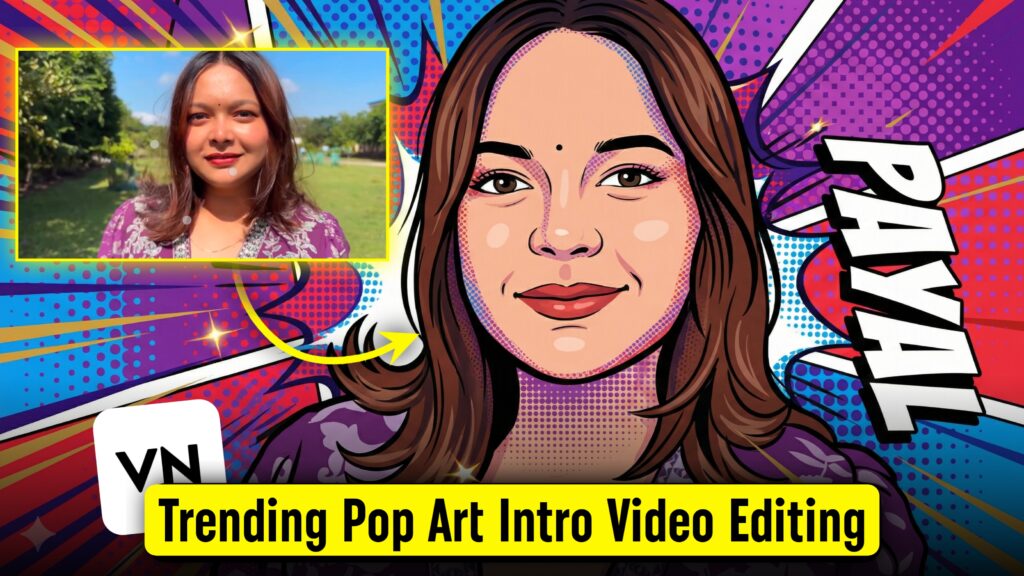
Step 1: Create High-Quality Pop-Art Images Using Gemini AI
The foundation of any great video is a powerful visual. Gemini AI allows you to generate clean, professional pop-art illustrations that are perfect for animation.
Below are optimized image prompts you can use directly inside Gemini.
Image Prompt 1: Professional Comic Pop-Art Portrait
Convert the photo into a professional pop-art vector illustration.
✔ Best for: Personal branding, creator identity visuals
Image Prompt 2: Funny Comic Pop-Art Image
✔ Best for: Meme reels, entertainment content, viral posts
Image Prompt 3: Advanced Professional Pop-Art Illustration
✔ Best for: Group visuals, cinematic reels, premium edits
Step 2: Convert Pop-Art Images into Motion Using Flow
Once your images are ready, it’s time to bring them to life. Flow allows smooth animation while preserving illustration quality.
Video Prompt 1: Fast Transformation Pop-Art Reel
Style: Vibrant pop art, comic animation
Motion: Smooth, elegant, Instagram reel ready
Loop: Seamless, no distortion
Video Prompt 2: Clean Loop Animation
Style: Clean, professional pop-art animation
Video Prompt 3: Dance-Flow Cinematic Animation
Animate the illustrated woman with graceful, dance-like movement.
Style: Elegant dance-flow pop-art
Duration: 4–6 seconds
Loop: ON
Step 3: Final Editing & Polish Using VN Editor
After generating animated clips, import them into VN Editor for final enhancement.
VN Editing Tips:
- Sync animation with trending audio
- Add beat cuts and smooth transitions
- Adjust color balance for punchy pop-art look
- Apply light motion blur if needed
- Export in 1080×1920 (Reels-ready)
VN Editor is perfect because it:
- Maintains video quality
- Supports smooth keyframes
- Is beginner-friendly and professional
Why This Workflow Works So Well
✔ Gemini creates high-quality vector-style visuals
✔ Flow adds AI-powered natural animation
✔ VN Editor delivers platform-ready polish
This combination gives you studio-level results using only AI + mobile tools.
Conclusion
Creating viral pop-art videos no longer requires complex software or professional studios. By using Gemini for image creation, Flow for animation, and VN Editor for final editing, you can build stunning, comic-style videos that grab attention instantly.
This workflow is perfect for:
- Instagram Reels growth
- AI art creators
- Personal branding
- Entertainment & meme content
- Short-form cinematic storytelling
Start experimenting with these prompts today, and turn static images into eye-catching animated pop-art videos 🚀🎨