How to Create Viral AI Celebrity Punch Reaction Videos Using Flow AI (Step-by-Step Guide)
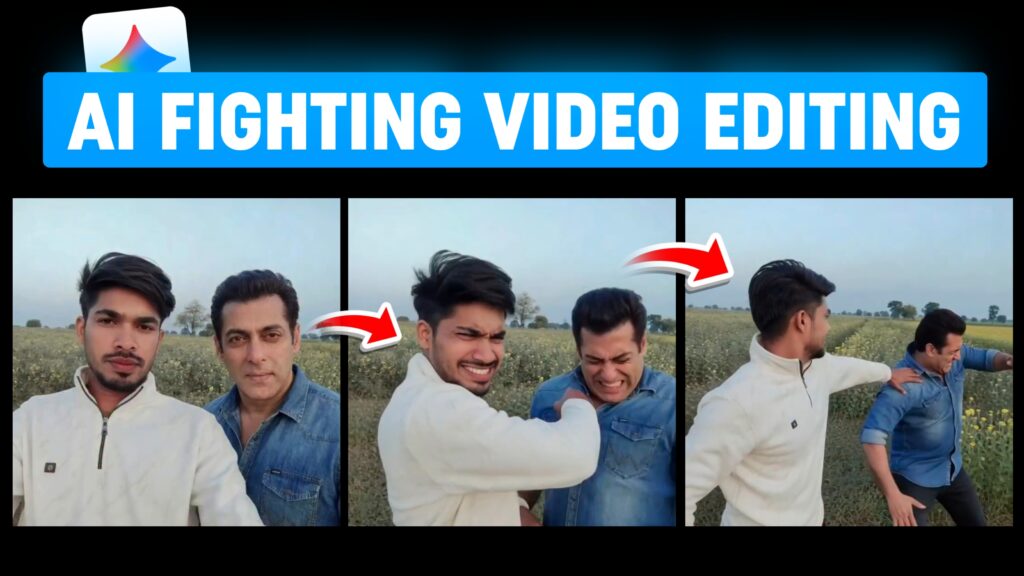
AI-generated celebrity videos are exploding on Instagram Reels, YouTube Shorts, and TikTok. One of the most viral formats right now is celebrity interaction videos—where a normal person appears with a celebrity, followed by a dramatic, cinematic reaction scene.
In this guide, you’ll learn exactly how to create a realistic AI celebrity image first, and then convert that image into a dynamic video using Flow AI. No advanced editing skills required—just smart prompts and the right workflow.
This method works perfectly for viral reels, shorts, meme videos, and cinematic AI experiments.
Step 1: Create a Realistic AI Celebrity Image
The first step is to generate a photorealistic image where a celebrity is seamlessly added next to the main subject (your photo or model image).
🎯 Goal of Step 1
- Add a celebrity naturally into the image
- Match lighting, camera angle, skin tone, and depth of field
- Make it look like both people were originally photographed together
🖼️ Image Generation Prompt (Use in Gemini / Image AI)
Use the following prompt in Gemini AI or any high-quality image generation model:
✅ Tips for Best Results
- Use a clear, well-lit original photo
- Avoid complex backgrounds
- Choose celebrities with plenty of public reference images
- If the first result isn’t perfect, regenerate with slight prompt tweaks
Once generated, download the final image. This image will be used for video animation.
Step 2: Convert the Image into a Viral Video Using Flow AI
Now comes the most exciting part—turning the static image into a dynamic cinematic video using Flow AI.
Flow AI specializes in image-to-video animation, making it perfect for reaction-based or action-driven content.
🎥 Video Concept
The concept is a dramatic, exaggerated interaction:
- The main subject punches the celebrity
- The celebrity flies backward in shock
- Facial expressions are expressive and cinematic
- Camera movement feels handheld and realistic
This style performs extremely well on short-video platforms.
🎬 Flow AI Video Prompt
Upload your generated image to Flow AI, then use this prompt:
⚙️ Recommended Settings
- Duration: 4–6 seconds
- Motion Style: Smooth but energetic
- Camera: Handheld / slight shake
- Loop: ON (for Reels & Shorts)
- Quality: High / cinematic
Flow AI will animate facial expressions, body motion, and camera movement automatically.
Final Touches (Optional but Recommended)
After generating the video:
- Trim it to the most impactful moments
- Add background sound effects or punch SFX
- Add subtle text captions if needed
- Export in 9:16 vertical format for Instagram Reels and YouTube Shorts
Why This Method Works So Well
- ✅ High emotional impact
- ✅ Celebrity-based content attracts instant attention
- ✅ Short, dramatic videos increase watch time
- ✅ Perfect for memes, reels, and viral experiments
Creators using this workflow regularly see higher engagement, saves, and shares.
Conclusion
By combining AI image generation with Flow AI video animation, you can create eye-catching, viral celebrity interaction videos in minutes. The key is realism—natural lighting, believable motion, and subtle camera effects.
This workflow is powerful, beginner-friendly, and perfect for anyone looking to grow on Instagram Reels, TikTok, or YouTube Shorts using AI.
If you want more AI video workflows, prompt packs, or viral editing strategies—keep experimenting and stay consistent 🚀